
Gaming Controllers for iPhone and iPad in 2026: DualSense, Xbox Wireless Controller, Backbone and Razer Kishi Compatibility
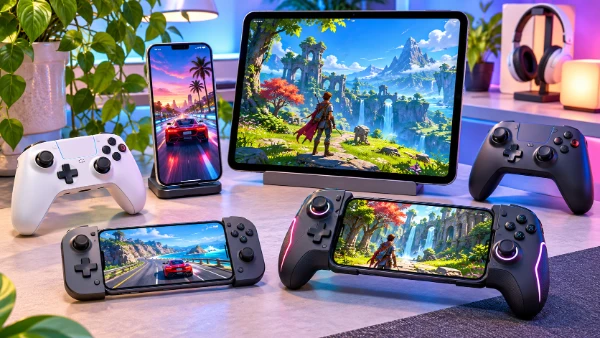
Gaming on the iPhone and iPad in 2026 is no longer limited to touchscreen controls. Modern Apple devices support conventional console controllers and dedicated mobile gaming accessories, making racing simulators, action games, role-playing adventures and cloud gaming considerably more comfortable. The PlayStation DualSense, Xbox Wireless Controller, Backbone One, Backbone Pro and Razer Kishi series offer different approaches to mobile gaming, from traditional wireless connections to handheld designs that place physical controls on either side of the screen. However, compatibility depends on the Apple device, its operating system, the type of connector and the individual game. Understanding these differences helps users avoid unnecessary purchases and assemble a gaming setup that suits their everyday habits.
DualSense and Xbox Wireless Controller Compatibility with iPhone and iPad
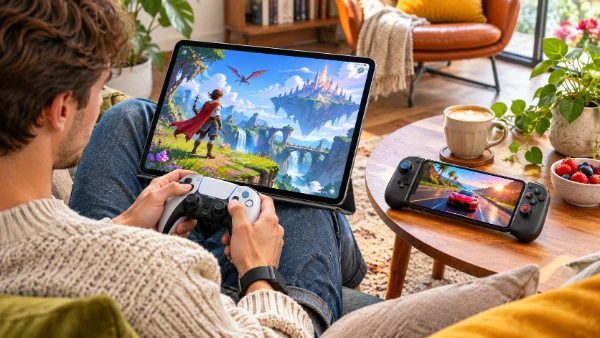
Owners of PlayStation and Xbox consoles do not necessarily need to purchase a separate controller for their Apple devices. Apple officially supports several generations of console accessories, allowing users to play compatible mobile games with familiar physical controls. Bluetooth connectivity makes these controllers particularly convenient for iPad owners, who can position their tablet on a desk or stand without holding the entire device during gameplay. This arrangement also works well with larger displays, where touchscreen controls may require uncomfortable hand movements and partially obscure important elements of the game interface.
The PlayStation 5 DualSense wireless controller supports iPhone and iPad devices running iOS 14.5 and iPadOS 14.5 or later. Its symmetrical analogue sticks, directional pad, analogue triggers and full-sized buttons are well suited to action adventures, racing games and titles originally designed around console controls. Apple also supports the DualSense Edge, although purchasing this more expensive accessory exclusively for mobile gaming may not be worthwhile. Certain advanced PlayStation features depend on the individual application, and the sophisticated haptic feedback available in native PS5 games should not be expected on an iPhone or iPad.
The Xbox Wireless Controller provides an alternative for players who prefer asymmetrical analogue sticks and the familiar Xbox button arrangement. Apple’s official compatibility list includes the Bluetooth-enabled Xbox Wireless Controller model 1708, controllers associated with Xbox Series X and Series S, the Xbox Elite Wireless Controller Series 2 and the Xbox Adaptive Controller. Owners of older Xbox One accessories should check the exact model before attempting to connect, as not every controller from that console generation includes Bluetooth. The standard Xbox Wireless Controller also uses replaceable AA batteries unless a compatible rechargeable battery pack has been installed, which can be convenient during extended gaming sessions away from a charging socket.
How to Connect and Configure PlayStation and Xbox Controllers
Connecting a DualSense controller to an iPhone or iPad requires only a few steps. With the controller switched off, hold the Create and PS buttons simultaneously until the light bar begins flashing. Open Bluetooth settings on the Apple device and select the controller when it appears among the available accessories. Once the connection has been established, launch a game that supports physical controls. Users with USB-C Apple devices can also use a suitable data-capable USB cable to establish a wired connection, which is particularly useful when wireless connectivity is unreliable or when the controller needs charging.
The Xbox Wireless Controller follows a similar procedure. Switch it on using the Xbox button, then hold the pairing button until the Xbox logo flashes rapidly. Select the controller from the Bluetooth settings on the iPhone or iPad. If the accessory does not appear, check whether it is already connected to a nearby console or another device. Updating the controller’s firmware through a compatible Xbox console or Windows computer may resolve persistent connection problems. Removing an existing Bluetooth pairing and establishing a fresh connection is another useful troubleshooting measure before considering a replacement.
Apple provides built-in options for customising compatible controllers through Settings, General and Game Controller. Available adjustments depend on the connected accessory and may include changing button assignments to create a more comfortable control scheme. These settings are especially helpful when switching between games with different button layouts or adapting controls to individual accessibility requirements. Nevertheless, successful Bluetooth pairing does not guarantee that every downloaded game will recognise the controller. Developers determine which inputs their applications accept, and some titles still require touchscreen interaction for menus, inventory management or particular gameplay functions.
Backbone and Razer Kishi: Dedicated Handheld Controllers for Apple Devices
Traditional console controllers work particularly well with an iPad positioned on a stand, but using one with an iPhone during a train journey or while sitting outdoors can be less practical. Dedicated mobile controllers solve this problem by holding the smartphone between two sets of physical controls. The resulting arrangement resembles a handheld gaming console, with the display positioned centrally and both hands supporting the device. Backbone and Razer have developed several generations of such accessories, offering different grip sizes, connector types and additional functions. Their suitability depends as much on physical dimensions as on software compatibility.
The Backbone One remains a practical option for iPhone owners who want a relatively compact gaming accessory. It is available in separate Lightning and USB-C versions, a distinction that matters considerably when purchasing either a new or second-hand controller. The Lightning edition is intended for supported iPhone 14 and earlier models, whilst the USB-C edition accommodates compatible iPhone 15 and newer devices. Backbone’s current documentation specifies iOS 17 or later for its Lightning controllers. Second-generation Backbone One models offer improved accommodation for compatible phone cases, reducing the inconvenience of removing protective accessories before every gaming session. The controller connects directly to the smartphone and does not require separate battery charging.
The Backbone Pro extends this concept by combining direct USB-C connectivity with independent Bluetooth operation. Its larger grips, full-sized analogue sticks and additional rear buttons distinguish it from the standard Backbone One. The wireless mode allows it to function as a separate controller for compatible tablets, including iPads, rather than requiring a smartphone to remain attached. Backbone advertises battery life of up to 40 hours in wireless mode, although actual endurance depends on usage. The Backbone+ subscription is optional for ordinary controller operation, meaning users can play compatible games without committing to an additional recurring payment simply to use the physical buttons.
Razer Kishi V2, V3, V3 Pro and V3 Pro XL Compatibility
The Razer Kishi range includes accessories designed for different smartphone and tablet sizes. Older Kishi V2 models remain relevant for users who own compatible Lightning-equipped iPhones, provided they purchase the correct iPhone edition. The USB-C version targets devices with the newer connector, whilst the Kishi V3 introduces larger, more conventional grips and full-sized analogue sticks. The V3 also incorporates rear controls, a headphone connection and passthrough charging. Razer specifies iOS 18 as the software requirement for this generation, so owners should check both the operating system and the manufacturer’s supported device list before buying.
The Kishi V3 Pro is especially interesting for users who alternate between an iPhone and a compact tablet. Its extendable design accommodates compatible USB-C smartphones and sixth- and seventh-generation iPad mini models. Razer also confirms compatibility with the iPhone 17 family, with specific rubber insert arrangements recommended for certain models. The iPhone Air requires a compatible protective case for the V3 Pro because the supplied inserts are not optimised for the bare device. Although the controller includes Razer Sensa HD haptic technology, the manufacturer does not currently support this particular feedback function on iOS. Buyers should therefore distinguish advertised hardware capabilities from features available on Apple devices.
For larger tablets, the Razer Kishi V3 Pro XL offers a design intended for devices measuring approximately 10 to 13 inches. Razer lists compatible USB-C iPad Pro, iPad Air and standard iPad models, making this accessory fundamentally different from controllers designed primarily for smartphones. Its larger bridge enables users to hold the tablet and physical controls as one unit, although the combined weight may become tiring during longer sessions. The controller includes a 3.5 mm audio connection, additional remappable controls and passthrough charging. Exact tablet dimensions, protective case thickness and connector alignment should all be considered before selecting this model.
Gaming Performance, Supported Games and Everyday Practicality in 2026
Controller compatibility is only one part of a satisfactory mobile gaming experience. The quality of the game itself, the responsiveness of its controls and the performance of the Apple device are equally important. Physical buttons provide a noticeable practical advantage in games that require simultaneous movement, camera adjustment and precise timing. In a racing simulator, analogue triggers can offer more gradual acceleration and braking than ordinary touchscreen buttons. In an action game, dedicated sticks allow movement and camera control without covering the display. These advantages are less significant in puzzle games, card games and other titles developed specifically around touch interaction.
Apple Arcade provides numerous opportunities to use compatible physical controllers. Games such as GRID Autosport, Dead Cells, Minecraft and Stardew Valley also illustrate the variety of controller-friendly experiences available through the wider App Store catalogue. Before purchasing an unfamiliar game, users should check its product information for the controller support indicator and review any device-specific requirements. Some more demanding releases require particular Apple processors, sufficient storage space or newer operating system versions. A compatible controller cannot overcome these hardware restrictions, improve an unsupported game’s frame rate or make a title available on an otherwise incompatible iPhone.
Cloud gaming and remote play offer another reason to connect a controller to an Apple device. Xbox Cloud Gaming, PlayStation Remote Play, NVIDIA GeForce NOW and Steam Link provide different ways to access games beyond those installed locally. Their requirements are not identical: some rely on a subscription and regional availability, whilst others stream from a user’s own console or computer. A stable internet connection is particularly important because network delays can affect the responsiveness of streamed games. A direct USB-C controller connection may reduce delays associated with controller input, but it cannot compensate for an unstable wireless network or congestion affecting the game stream itself.
Choosing the Right Gaming Controller for Your iPhone or iPad
For users who already own a supported DualSense or Xbox Wireless Controller, testing that accessory before purchasing a dedicated mobile controller is the most economical approach. Both designs offer conventional console-style grips and work well with an iPad placed on a stand. The DualSense may appeal to PlayStation owners who prefer symmetrical analogue sticks, whilst the Xbox controller offers familiar ergonomics for users accustomed to Microsoft’s consoles. Neither requires a built-in smartphone holder to operate, although iPhone owners may find a separate mounting clip useful. The choice between them is largely a matter of comfort, existing equipment and preferred button layout.
Users who primarily play on an iPhone whilst travelling may find the Backbone One more convenient because of its compact construction and direct connection. The Backbone Pro is better suited to those who want both handheld operation and independent wireless use with multiple devices. The Razer Kishi V3 series deserves consideration when larger grips, full-sized controls and additional rear buttons are important. For iPad mini owners, the Kishi V3 Pro provides an integrated handheld arrangement, whilst the V3 Pro XL addresses the requirements of compatible full-sized iPads. More expensive models are not automatically better purchases if their additional functions are unavailable in the user’s preferred games.
Before spending money on a gaming controller in 2026, check the exact Apple device model, connector type, operating system requirements, physical dimensions and support for the games you intend to play. Consider whether passthrough charging is necessary, how frequently the accessory will be transported and whether its design accommodates an existing protective case. It is also worth comparing the total weight of the proposed setup, especially when combining a large iPad with a handheld controller. The most suitable accessory is one that works reliably with the intended device, remains comfortable during regular use and provides meaningful improvements over touchscreen controls without introducing unnecessary expense or inconvenience.
Related articles
-
 Online Casino Accessibility on Apple ...
Accessibility is an increasingly important aspect of online casino design …
-
Gaming Controllers for iPhone and iPa...
Gaming on the iPhone and iPad in 2026 is no …
-
 Safety Tips for iPhone Users: Safe Pr...
Online gambling has become a convenient and entertaining way to …